


Chess Rush Play & Learn Online
4.856.00 Reviews
App Specs
- Version
- 1.9.0
- Updated On
- License
- Free
- Downloads
- 100,000+
- Developer
- ZOE STUDIOS
- Categories
- Board
- Platform
- Android
Screenshots
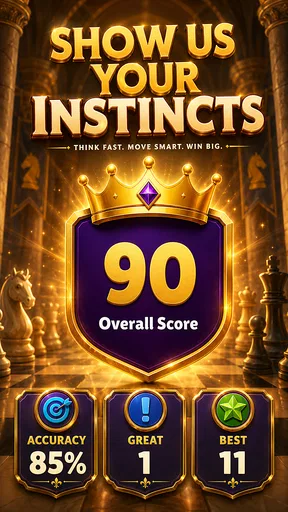
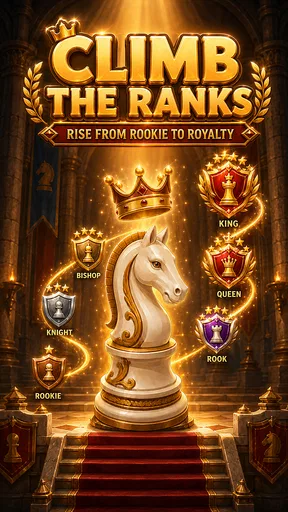
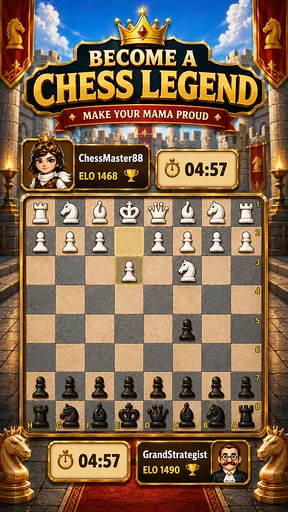
 Analysis by AppCompare
Chess Rush Play & Learn Online is a board game from ZOE STUDIOS that aims to make chess feel approachable rather than intimidating. I found its appeal in the way it brings playing, puzzles, lessons, and checkmate practice into one place, so a new player can move between learning and testing an idea without needing several separate apps. It is free to download, rated for Everyone, and has reached over 100 thousand installs, which makes it easy to see why it attracts people who want a low-pressure way to begin.
The name suggests speed, but I would not treat this as only a quick-play chess title. Its more useful role is as a gentle training companion. You can use it when you have a few spare minutes, work through a puzzle when you want an active challenge, or return to a lesson when a position from a previous game still bothers you. The experience is best for beginners and casual players who want structure. Strong tournament players may find it too limited as their only chess tool, especially if they need deep analysis, serious competition, or a detailed record of every game.
Getting from the first launch to a useful chess habit
I focus this section on making the first session feel manageable: start with one lesson, try one puzzle, and carry a single idea into play rather than attempting to master everything at once. That small loop gives a new player a clear way to notice progress, and it sets up the next section’s practical advice for turning an early success into a steady chess habit.
What to expect before you make your first move
My first recommendation is to approach the game as a learning app with playable chess inside it, not as a replacement for every chess service. That distinction matters. A traditional chess platform may focus primarily on finding opponents, rankings, clocks, clubs, and long-term competitive progress. Here, the more inviting path is to learn a basic idea, try it in a puzzle, and then notice that idea during a game.
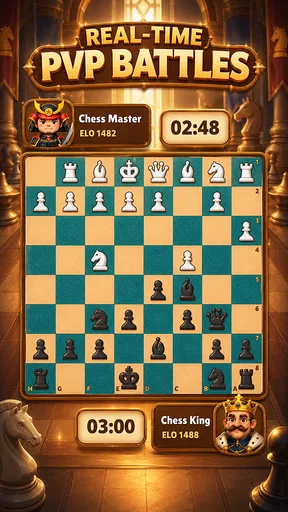
The store summary highlights online play, free puzzles, chess lessons, and checkmate training. Those elements give the app a clear beginner-friendly identity. Instead of opening with the assumption that you already know how to evaluate a position, it presents chess as a collection of small skills: seeing threats, recognizing patterns, and understanding why a move works. I like that approach because a new player often does not need more information; they need a manageable next action.
There is also a practical advantage to having different kinds of practice together. If a full game feels too demanding, a short puzzle can keep your attention on one decision. If puzzles start to feel abstract, a lesson can provide context. If you keep missing the same kind of finish, checkmate training gives you a narrower target. The strongest part of the design is this movement between learning and doing, provided you use each area deliberately instead of tapping through everything quickly.
The game is currently listed as version 1.8.0 and requires at least OS 10. That makes checking your device compatibility a sensible first step, particularly if you are installing it on an older phone or tablet. The app is free, although in-app purchases range from under a dollar to amounts approaching a hundred dollars per item. I would begin with the free material and decide later whether anything paid genuinely improves your routine. A free starting point is enough to judge whether the teaching style suits you.
Worth Reading Before You Choose

EA SPORTS FC Mobile 26 Is a Bigger Football Game, but It Takes Time

Flipboard Shows What News Apps Must Do Beyond the Feed

Switching to Android Auto Means Rethinking Your Driving Routine

Google Calendar Makes a Crowded Week Easier to Manage

Ludo King Makes the Most of the Minutes Between Plans

Baby Panda World Brings Quick Play to Modern Phones, but Its Game Library Feels Busy
A calm first setup makes a difference
After installing, I would avoid rushing straight into online play. New players often mistake their first loss for proof that they are bad at chess, when the real issue is that they have not yet learned how to scan a position. Starting with a lesson or a simple puzzle gives you a clearer sense of what the app expects and lets you become comfortable with selecting pieces and considering legal moves.
Before beginning a game, choose a small personal goal. “Win” is too broad for a first session. A better target is to check whether your king is safe before every move, look for an undefended piece, or pause long enough to ask what the opponent threatens. This turns the board into a practice space rather than a test. Even if the result is a loss, you can still succeed at the skill you selected.
I also suggest keeping the first session short. Chess can become mentally tiring on a small screen, especially when you are learning how the pieces interact. A brief session lets you stop while you still remember the important positions. If you play several games in a row while frustrated, you may start moving automatically, which defeats the purpose of the lessons and puzzles.
One useful workflow is to begin with a lesson, attempt a puzzle without immediately guessing, and then play a game while looking for the same theme. For example, if the lesson emphasizes a direct threat, do not merely memorize the example. During the game, deliberately search for a move that creates a threat and then check whether your opponent has one against you. This three-stage routine is more valuable than treating every section as separate entertainment.
Your first meaningful success
For a first real achievement, I would define success as finding a checkmate or preventing a simple tactical mistake, not necessarily winning an entire game. Checkmate training is especially useful here because it narrows the question. Instead of evaluating every possible plan, you are looking for a forced finish. That can help a beginner understand how pieces cooperate around the king.
Take your time on each position. First identify the opposing king, then look for checks, captures, and direct threats. If a move appears obvious, ask what squares remain available afterward. This habit is more important than solving one puzzle quickly. A correct answer reached by careful inspection teaches a repeatable process; a lucky guess teaches very little.
When you solve a puzzle, replay the position mentally before moving on. Ask what made the solution work. Was a defending piece pinned? Was an escape square blocked by one of your own pieces? Did the opponent’s king have too few safe squares? These questions turn a single answer into a pattern you may recognize later in a normal game.
A realistic everyday scenario would be a ten-minute break between errands or during a commute. I would use the first few minutes for one lesson, spend the next part on a puzzle, and finish by reviewing one position that caused trouble. That is a much better use of a short break than starting a long game you may have to abandon. The app’s combination of learning and practice supports this kind of modular routine.
Where new players commonly get confused
The biggest source of confusion is expecting a puzzle to behave like a normal game. In a puzzle, the correct move may be tactical and immediate, while a real position can require patience. If you solve several checkmate exercises, you may begin searching for a spectacular finish every time. Resist that urge. In ordinary play, improving your worst piece or protecting your king may be more important than attacking at once.
Another common mistake is treating a lesson as something to consume passively. Reading or watching an explanation can feel productive, but the idea only becomes useful when you try to apply it. After a lesson, pause and describe the principle in your own words. Then look for one board position where it might matter. If you cannot explain what changed before and after the example, revisit the lesson rather than moving on simply because it is complete.
Beginners can also become unsure about whether they should prioritize online games or training. My view is that online play works best after you have a basic routine for checking threats. Otherwise, the pressure of an opponent can make you move too quickly and hide the reason for each mistake. Start with learning and puzzles, then use online games as a place to test one specific habit.
Do not interpret a low puzzle success rate as a final judgment on your ability. Chess puzzles often ask for precision, and a single overlooked square can change the entire answer. When you miss one, reconstruct the position instead of tapping rapidly for another attempt. Look at the king’s legal squares, the lines controlled by long-range pieces, and the pieces that are not defended. This is slower, but it builds the visual discipline that beginners usually lack.
How to use the app beyond the first session
Once you are comfortable with the basic flow, create a simple cycle rather than opening random sections. Spend one session on lessons and puzzles, then play a game with one goal in mind. Afterward, return to the training area and choose practice related to the mistake you remember. This creates a feedback loop: learn, test, notice a weakness, and train that weakness.
A particularly useful habit is to name your mistake before looking for another game. “I lost a piece because I did not check the opponent’s threat” is actionable. “I played badly” is not. The first statement tells you what to watch for next time. If the app’s training material helps you focus on that issue, use it as a targeted exercise rather than trying to improve every part of your chess at once.
You can also use the game as a bridge into chess with another person. A beginner who feels nervous about sitting across from a friend can first practice the rules and basic patterns here. Once the fear of making an illegal move fades, playing with someone becomes more enjoyable. On the other hand, if your main goal is social competition with friends, a dedicated multiplayer platform may offer a better experience if it provides more specialized match options and community tools.
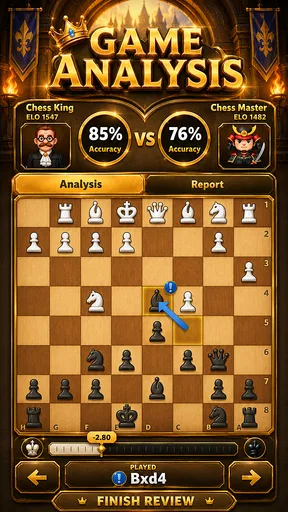
The same comparison applies to advanced study. Chess Rush Play & Learn Online is attractive when you want an accessible mixture of lessons, puzzles, and online play. A more specialized chess alternative may be preferable for deep engine analysis, opening databases, tournament preparation, or extensive game history. I would not see that as a weakness in itself; it simply defines the app’s most sensible audience. It is a starting point and practice tool, not necessarily a complete training laboratory.
Who should install it, and who should skip it
I would recommend this game to someone who knows the basic rules but still feels lost after the opening moves. It is also a good fit for a parent looking for an Everyone-rated chess activity, a casual player who wants short practice sessions, or a returning player who needs to rebuild pattern recognition. The free entry point makes experimentation straightforward, and the combination of puzzles and lessons gives you something to do even when you are not ready for a full online game.
I would be more cautious if you already play competitively and need highly detailed feedback after every move. The app may still be useful for quick checkmate practice, but it should probably sit beside a more advanced tool rather than replace it. I would also skip it if you dislike instructional content and only want fast head-to-head matches. Its learning focus is central, so players seeking nothing but competition may prefer a dedicated chess server.
The purchase range is another reason to stay intentional. Because the app is free to start but offers items from $0.99 to $99.99, I would not buy anything during the first session. First check whether the free lessons and puzzles fit your level, then decide whether a purchase solves a specific problem for you. Paying simply because an offer appears is unlikely to improve your chess as much as a consistent practice habit.
My final view after using its learning approach
Chess Rush Play & Learn Online succeeds when it makes the next step obvious. A beginner can move from a lesson to a puzzle, then carry one idea into an online game. That path feels less overwhelming than opening a bare chessboard and wondering what to study. The developer, ZOE STUDIOS, has positioned the game around accessible improvement, and its 4.8 average from around 1.8 thousand ratings suggests that this approachable direction resonates with many users.
Its limitations are equally clear. It is not the choice I would make for serious analysis, a complete competitive record, or every advanced chess feature in one place. The possible in-app purchases also mean that I would keep the free experience as the benchmark before spending. And like any learning app, it cannot replace the patience required to examine your own mistakes.
Still, I think it is a worthwhile first installation for anyone who wants chess to feel less mysterious. Start with one lesson, solve one position carefully, and carry one simple question into your first game: what is my opponent threatening? If you keep that routine, the first meaningful success may arrive sooner than expected—not necessarily as a dramatic win, but as the moment you spot a danger, find a clean checkmate, or understand why a move works. That is where this free board game offers its real value: it turns a large subject into small, repeatable decisions.
Pros
- Interactive lessons help beginners understand chess fundamentals.
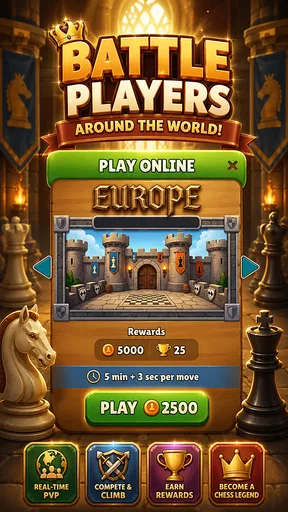
- Online matches let players practice against opponents of different skill levels.
- Puzzles provide short training sessions for improving tactical awareness.
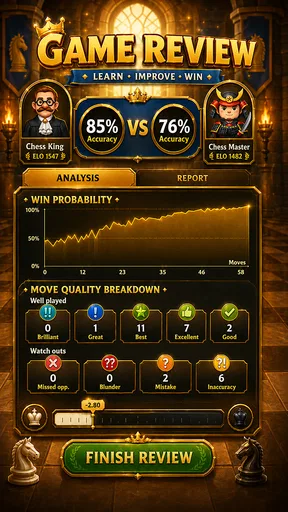
- Progress tracking makes it easier to monitor learning and practice habits.
- The interface is generally approachable for children and first-time players.
Cons
- Some lessons or advanced content may require a subscription or in-app purchases.
- A stable internet connection is needed for most online features.
- Matchmaking quality can vary depending on the available player pool.
- Ads or promotional prompts may interrupt the free learning experience.
- Younger users may need supervision when using chat or online multiplayer.
FAQs for Chess Rush Play & Learn Online
What is Chess Rush Play & Learn Online?
Chess Rush Play & Learn Online is a chess-focused mobile app designed for users who want to practice, play, and improve their understanding of the game. It typically combines interactive lessons, puzzles, online matches, and learning tools in one place. The app can be useful for beginners, while more experienced players may appreciate the opportunity to review tactics and test their skills.
Is Chess Rush Play & Learn Online suitable for beginners?
Yes, the app is generally suitable for beginners because it introduces fundamental chess concepts such as piece movement, check, checkmate, opening principles, and basic tactics. Its learning-oriented format can make practice less intimidating than playing against experienced opponents immediately. However, users should still expect to spend time solving exercises and reviewing mistakes, since improvement depends on regular practice rather than simply completing a few lessons.
Can I play chess online against other people?
Chess Rush Play & Learn Online is intended to support online chess activity, allowing users to challenge other players or participate in internet-based games, depending on the available version and matchmaking options. A stable connection is important during live matches, as interruptions can affect the game. Some features may also require an account, and the available opponent modes can vary by device, region, or app update.
Does the app require an internet connection?
An internet connection is usually needed for online matches, account synchronization, leaderboards, and other multiplayer features. Certain lessons, puzzles, or previously loaded content may remain accessible offline, but offline availability can differ across the app. Before downloading, users should check the store listing and permissions, especially if they plan to use Chess Rush Play & Learn Online while traveling or with limited mobile data.
Is Chess Rush Play & Learn Online free to download and use?
The app may be available as a free download, but users should review its store page carefully for advertisements, optional purchases, subscriptions, or premium learning content. Free access may include basic lessons and games, while advanced tools or additional exercises could be restricted. Parents should also check purchase settings if children will use the app, and confirm the pricing shown for their country before starting any trial.


